MagLoft Amway
New Feature Concepts

Achievers Platform
Feature Preview

Key feature proposals for the next phase of the Amway Achievers platform — giving ABOs direct control over their profile, streamlined admin review workflows, and powerful tools to share achievements.

Achievers Profile 🔍 Click to zoom

Edit Profile

Let ABOs manage their own profile directly — faster updates, more personal ownership, and significant time savings for the Amway team who currently handle all changes manually via email and CSV.

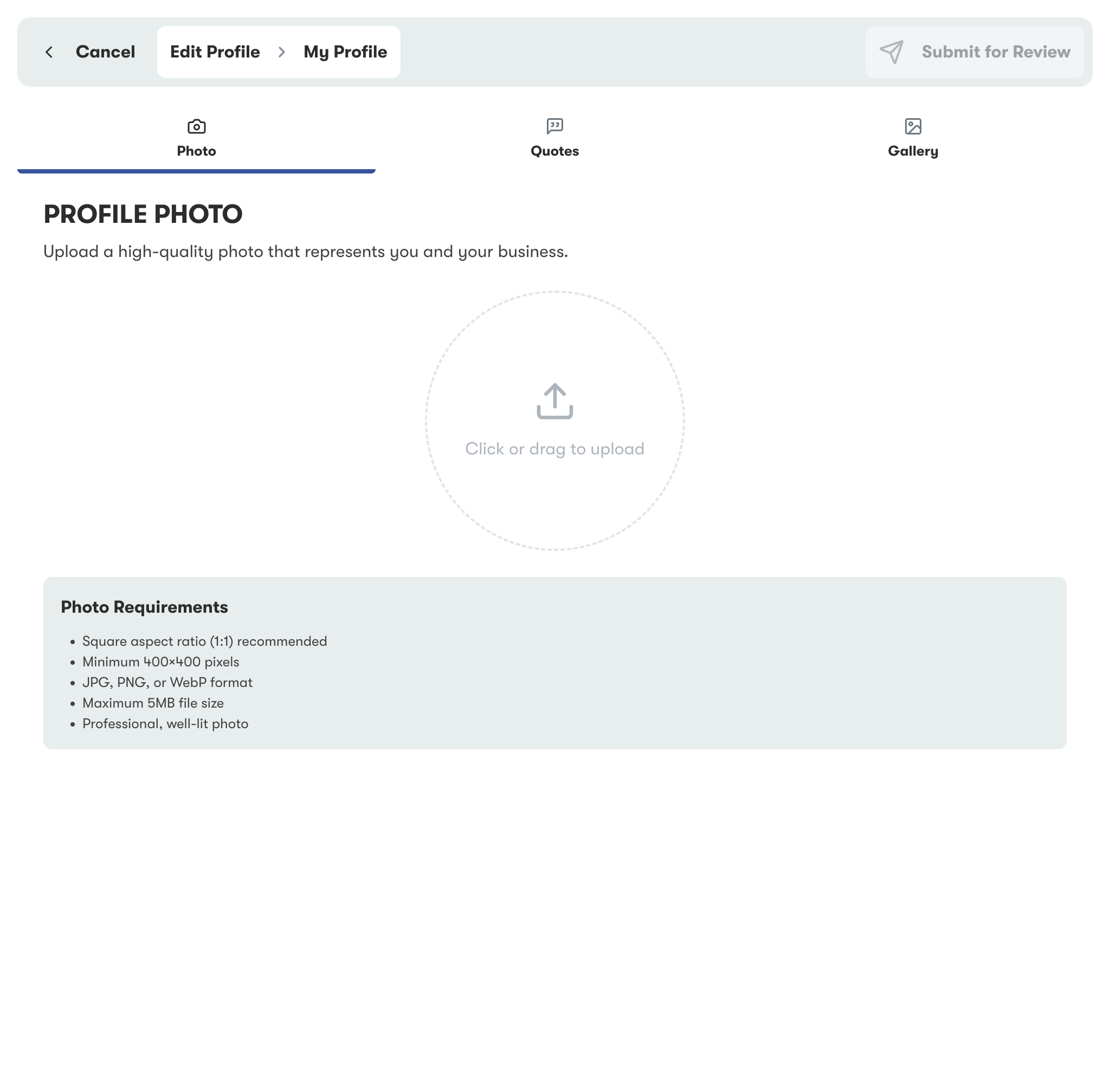
Update Profile Photo

ABOs can upload a new profile photo directly through the platform — no email requests or workarounds needed. The current photo is shown alongside the new upload for comparison before submitting for review.

  • Direct photo upload with preview
  • Side-by-side current vs new comparison
  • Auto-submitted to Admin Review Dashboard
  • Replaces manual email-based workflow
Edit Profile Photo 🔍 Click to zoom

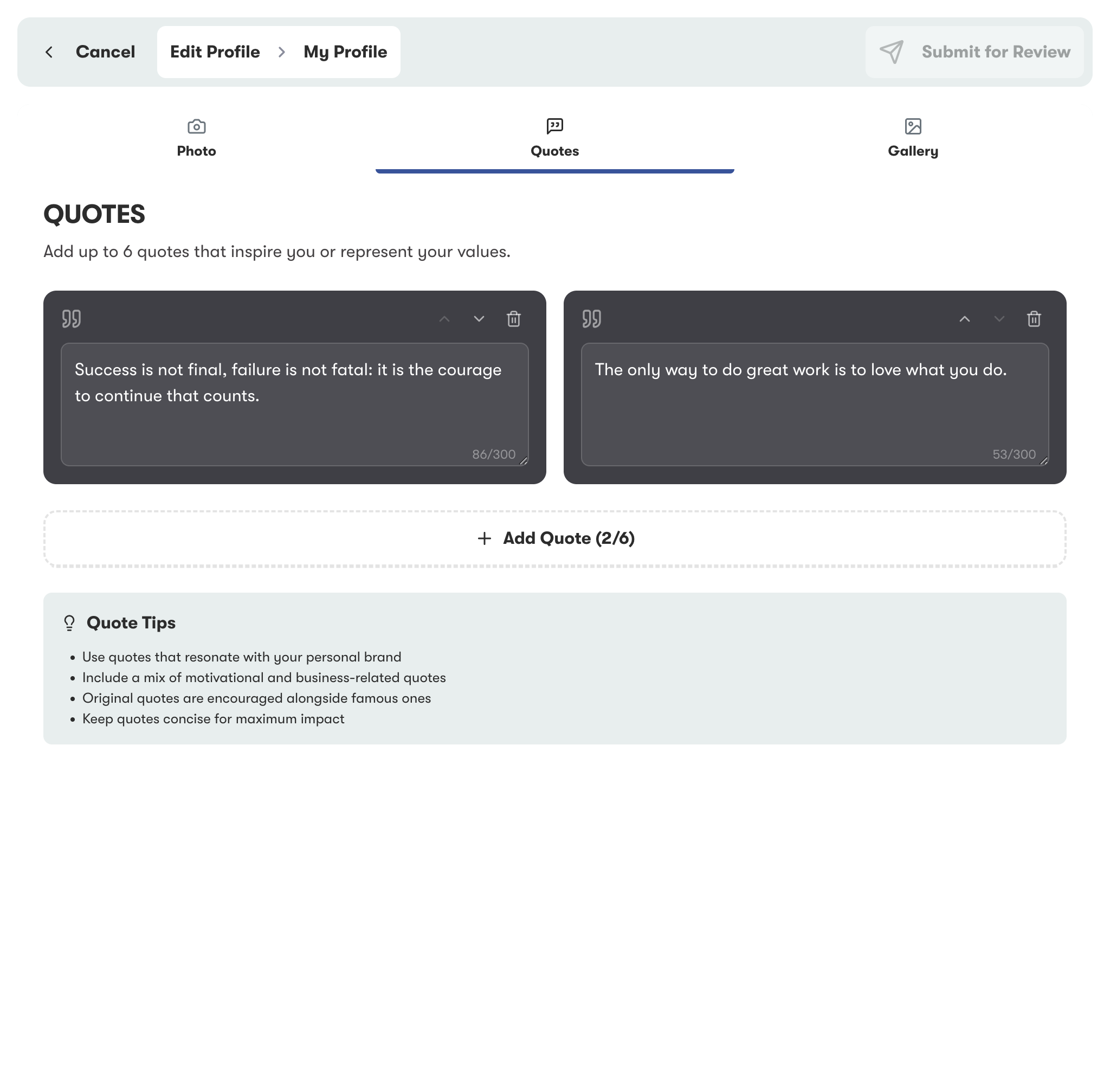
Update Quotes & Quote Images

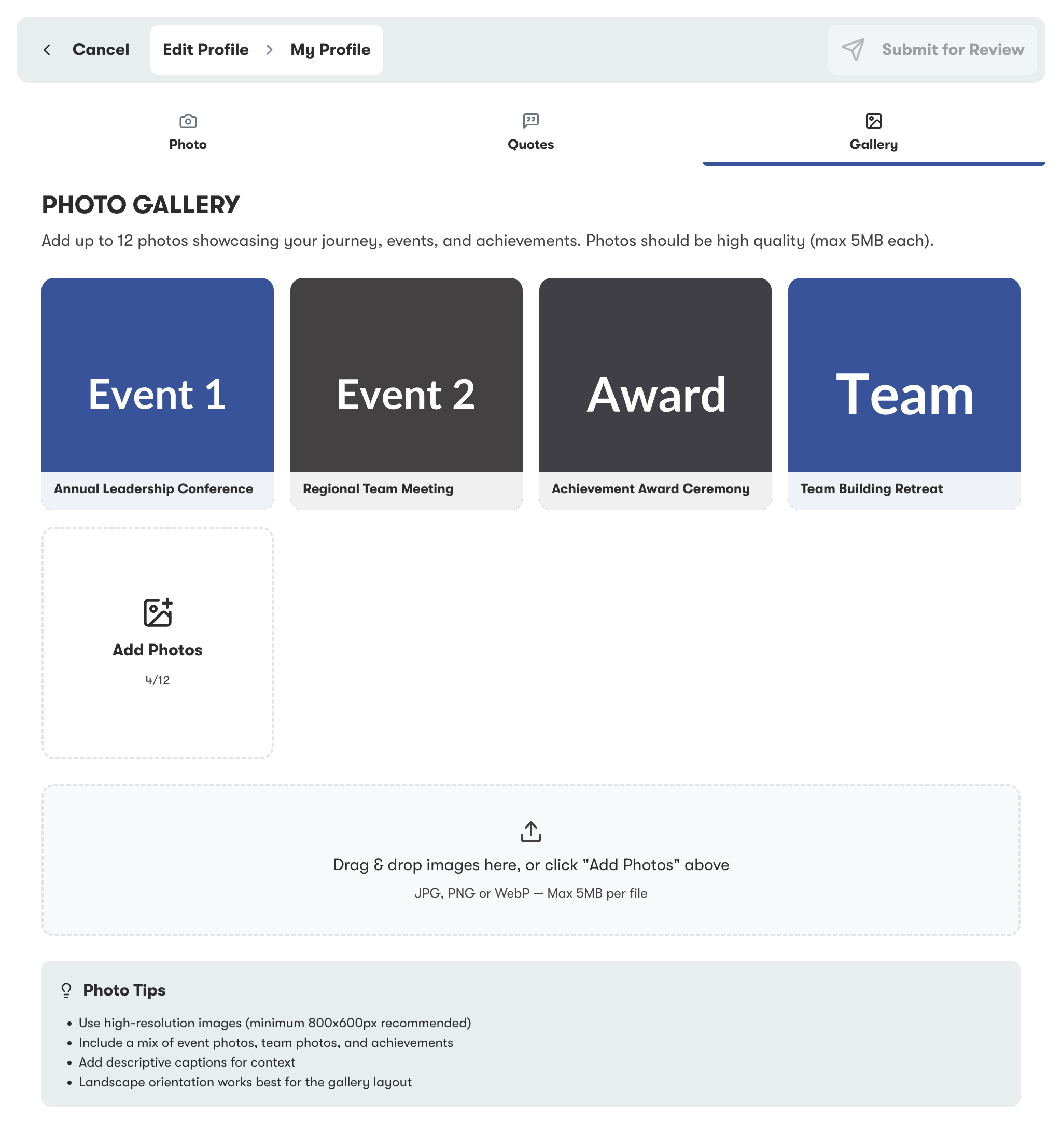
ABOs can add or edit the quotes and accompanying imagery displayed on their profile. This makes their story feel more authentic and personal — while all changes go through Amway's review process before going live.

  • Edit motivational quotes and captions
  • Upload accompanying quote images
  • Multi-language support built in
  • Review-gated — nothing goes live without approval
Edit Quotes 🔍 Click to zoom

Admin Review Dashboard

Every profile change submitted by an ABO flows into a centralised Admin Review Dashboard. The Amway team can review, approve or reject edits — maintaining full quality control while dramatically reducing manual effort.

1

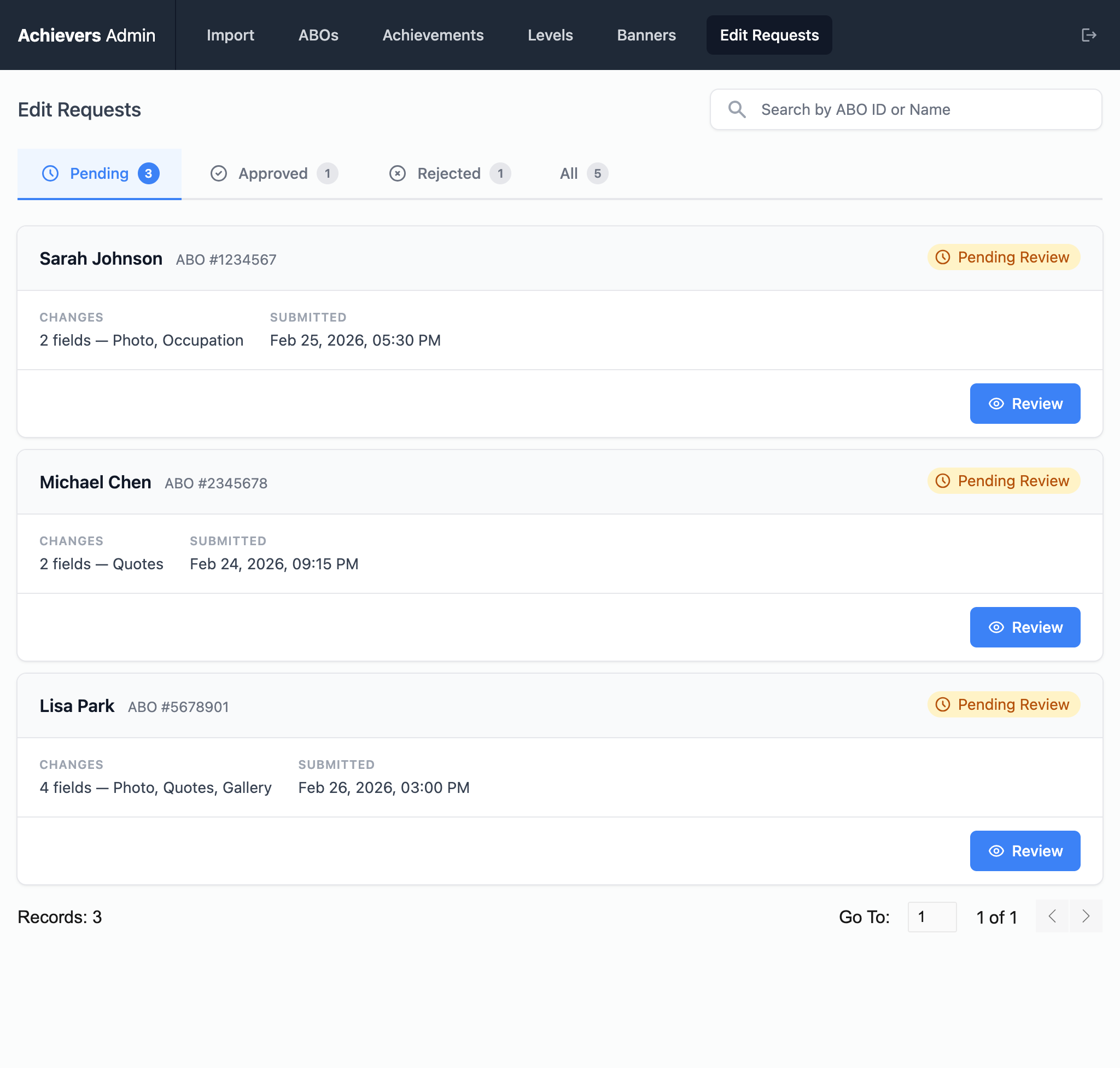
Pending Queue

All submitted profile edits land in a filterable queue. Admins see who submitted what and when — nothing slips through the cracks.

Admin Pending Queue 🔍 Click to zoom
2

Review Details

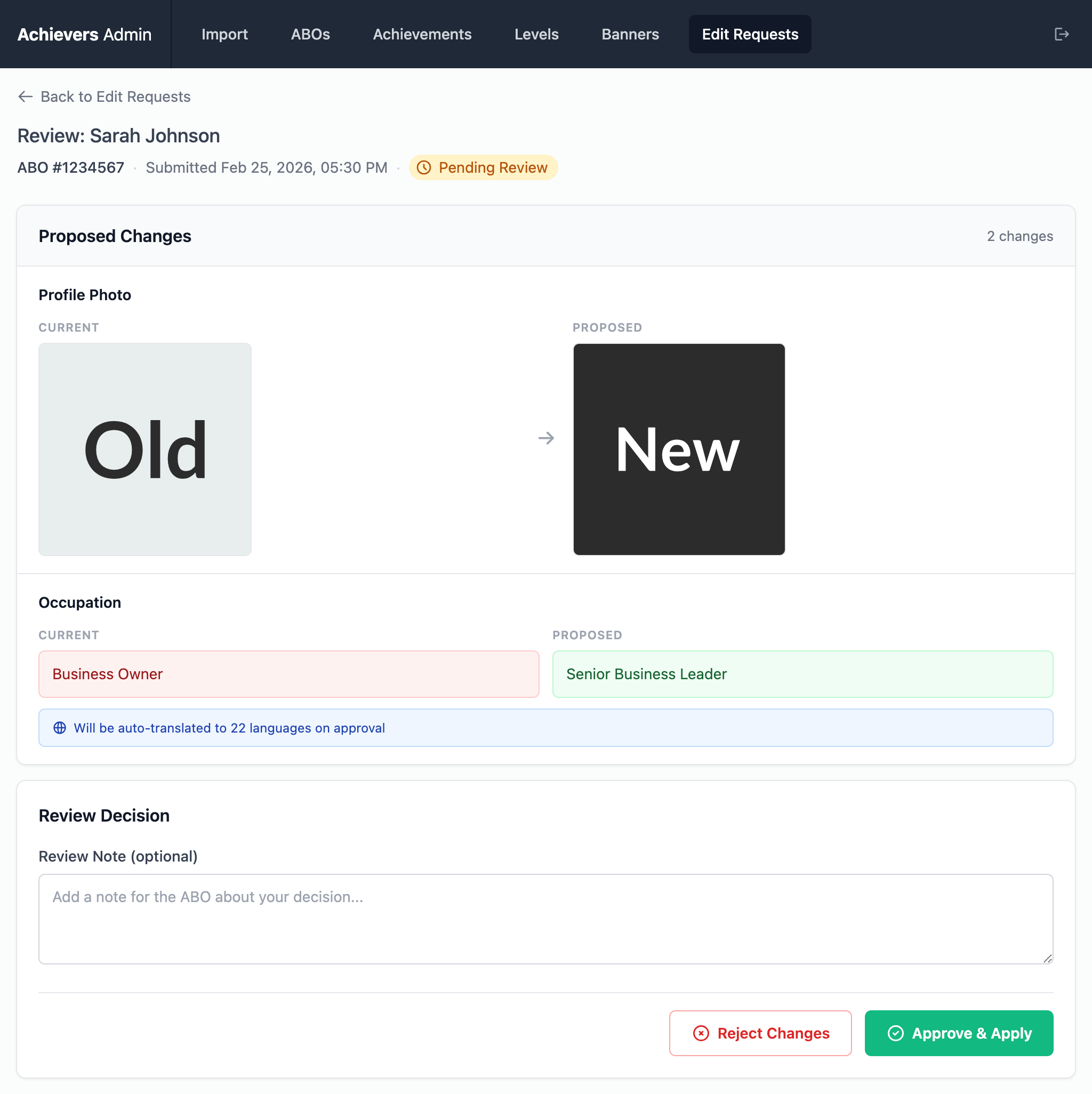
Drill into any submission to see a side-by-side comparison of current vs proposed changes — photo, quotes, and gallery images all in one view.

Admin Review Details 🔍 Click to zoom
3

Approve or Reject

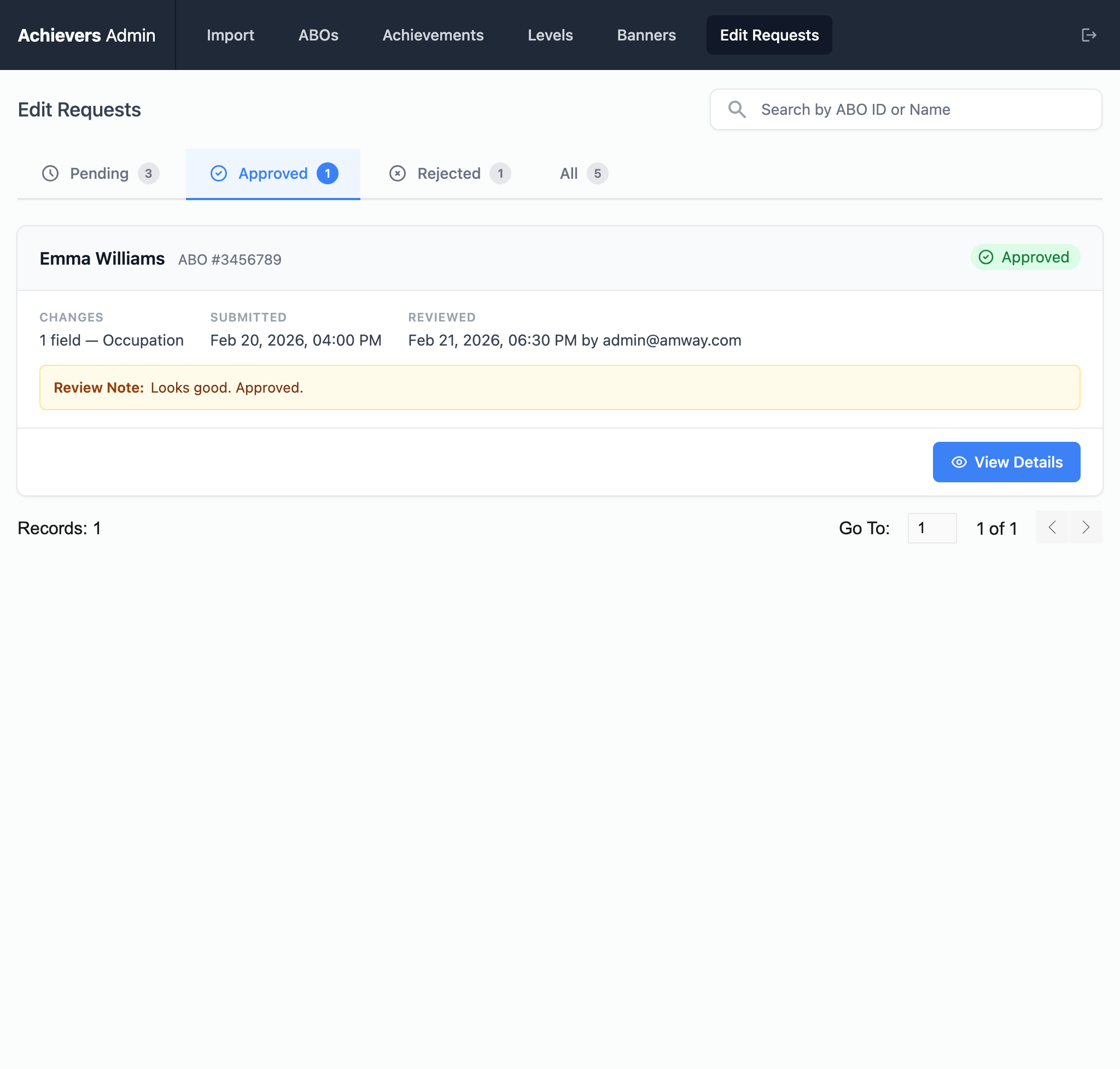
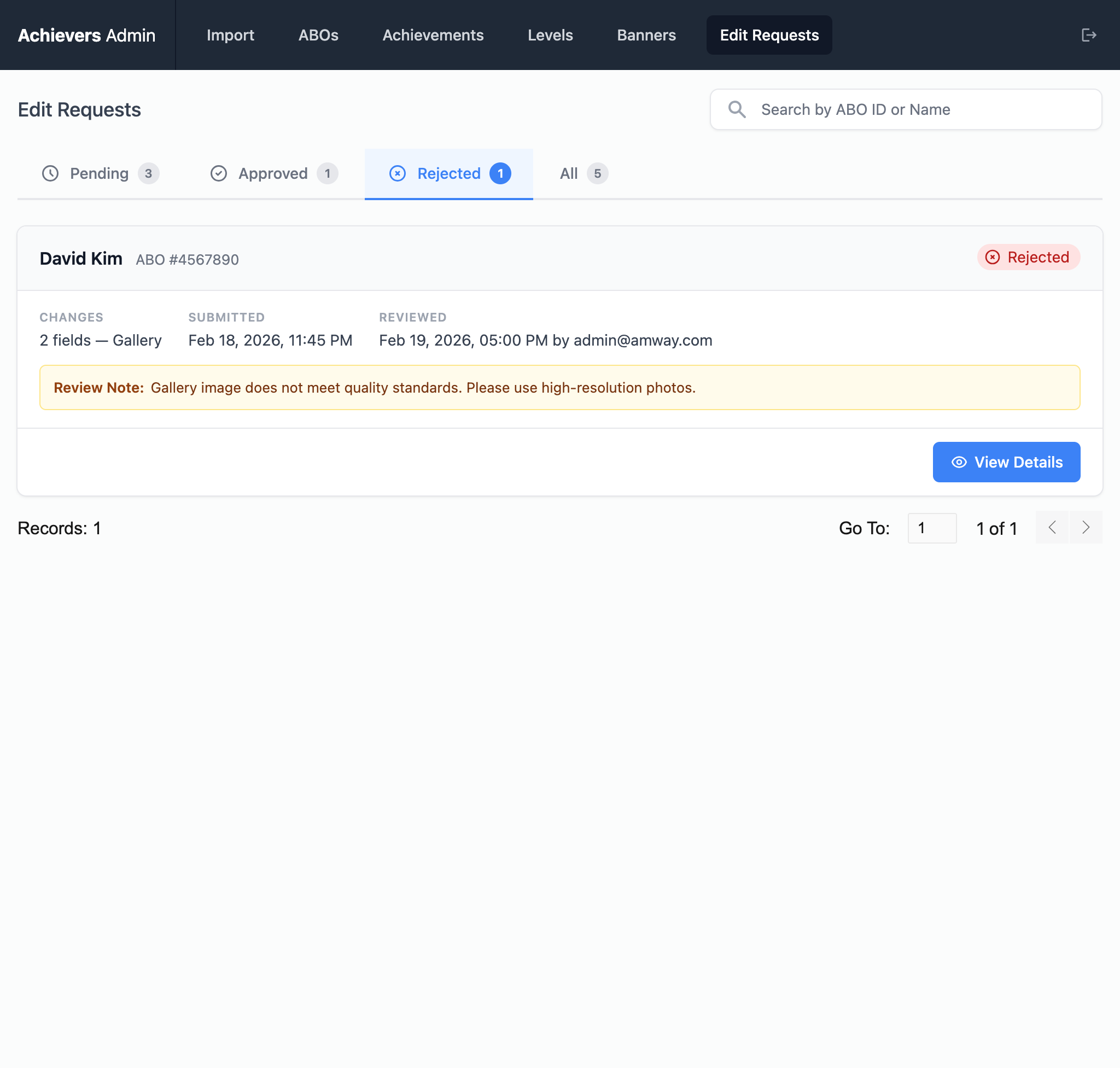
One click to approve (changes go live immediately) or reject with a reason. The ABO is notified of the outcome either way.

✓ Approved
Admin Approved 🔍 Click to zoom
✗ Rejected
Admin Rejected 🔍 Click to zoom
  • Centralised queue for all ABO-submitted changes
  • Side-by-side comparison of current vs proposed
  • One-click approve or reject with notification
  • Replaces email/CSV workflow — saves hours per week

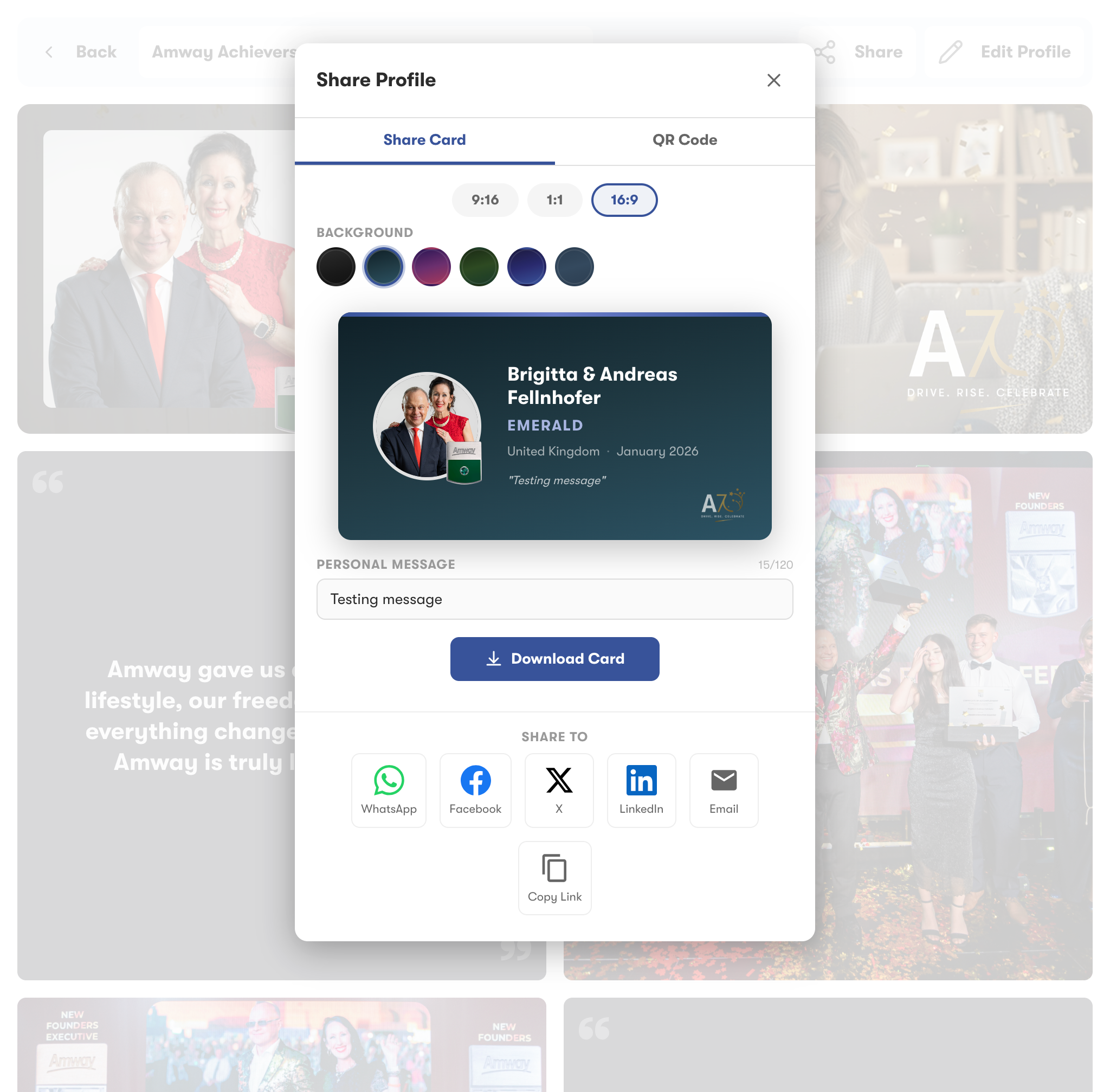
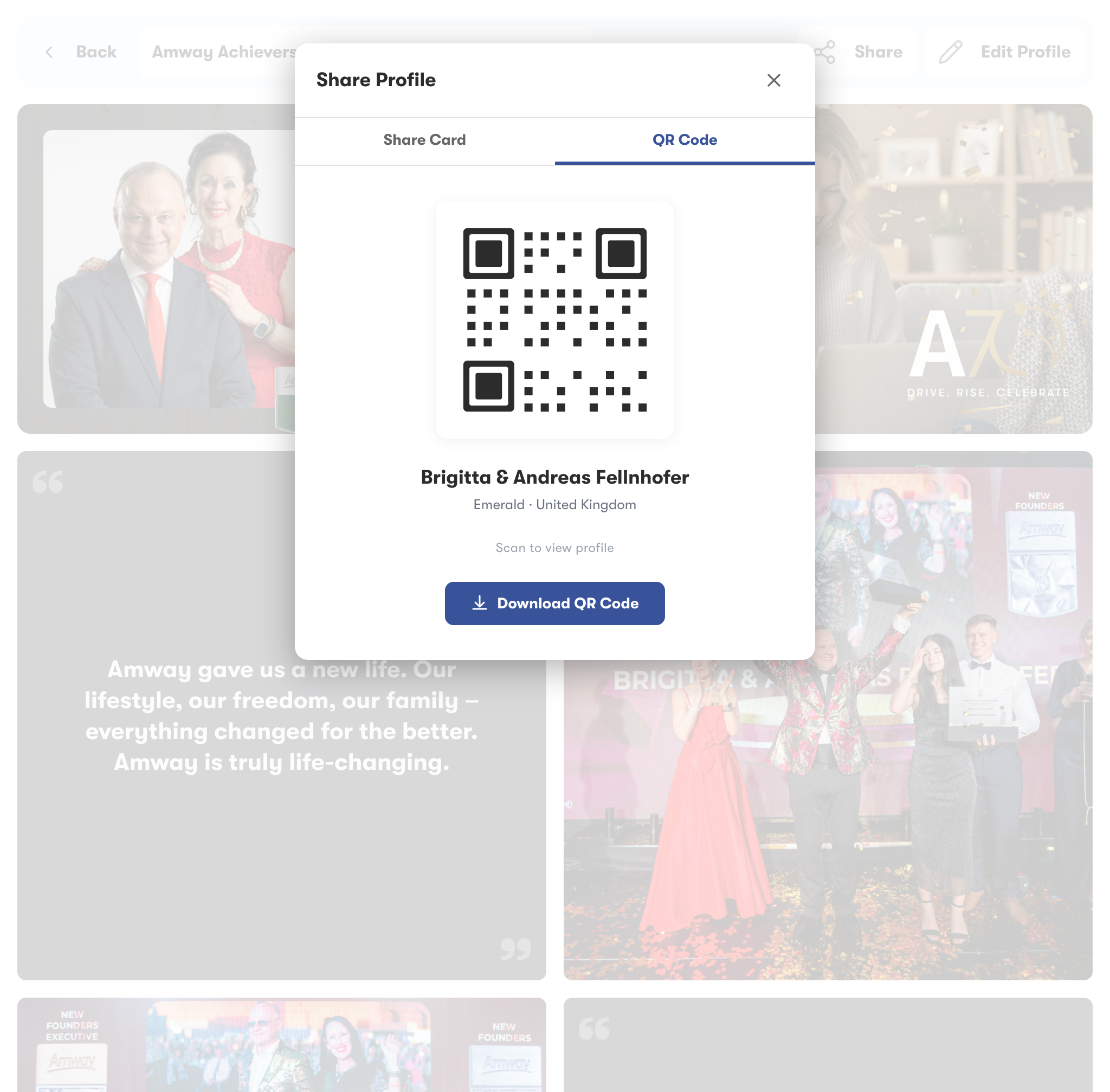
Social Sharing

Tools to help ABOs create and share beautiful achievement content — growing their visibility, expanding their network, and attracting new prospects across social media platforms.